

Musk’s X Now Lets Parents Cap a Teen’s Screen Time and Keep Strangers From Messaging Them
X’s first parental controls give moms and dads a daily time limit, a say over new followers and control over who can message a teen. The chats stay private, and the teen sees every change.
For years, the parent of a teenager on X had exactly two choices: take the phone away, or hope for the best. As of this week there’s a third.
X rolled out its first-ever parental controls on Nov. 25, built for families with kids 13 to 17. A mom or dad can now see how long a teen has been on the app, cap it with a daily limit, sign off on every new follower and decide who gets to send that teen a private message. That last one is the one most parents will reach for first.
“Parents want practical tools, and teens deserve room to grow,” said Michael O’Herlihy, X’s head of safety, in the company’s announcement. “With Parental Controls on X, families can set the guardrails that fit their home, while teens keep ownership of their accounts and can see every change.”
Six switches, and the parent holds them
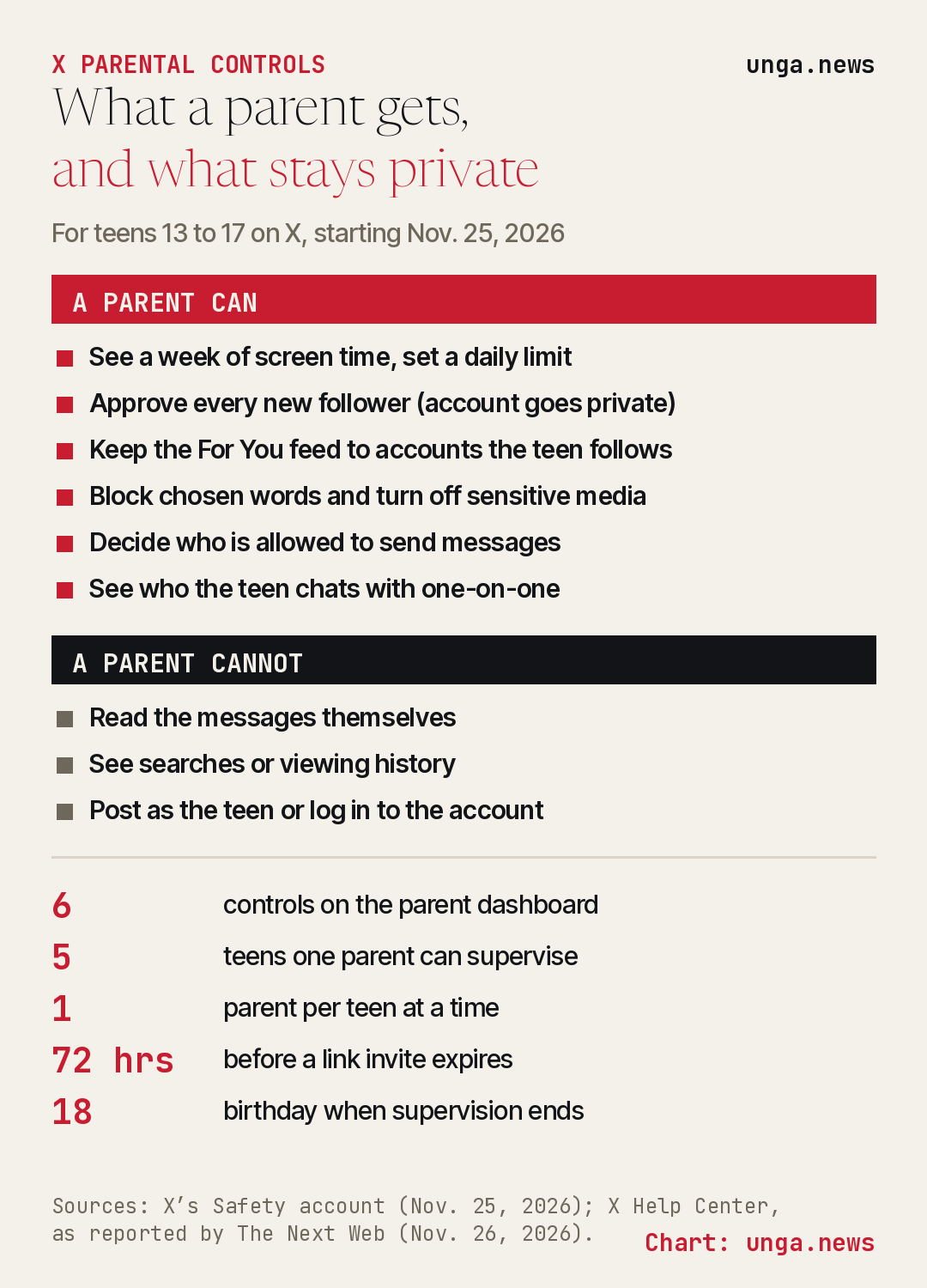
Here is the whole list, straight from X. A parent or guardian can see a week of their teen’s time on the app and set a daily limit. They can require approval for new followers, which also flips the account to private. They can keep the For You feed and its videos limited to accounts the teen already follows, so the algorithm stops serving up strangers. They can filter out specific words and switch off sensitive media. They can control who is allowed to send direct messages. And they can see which accounts their teen has been chatting with one-on-one.
X’s Safety account announces Parental Controls for teens 13 to 17, Nov. 25, 2026.
— @Safety View on 𝕏
The time limit has teeth. According to X’s help page, as described by The Next Web, it’s set in 15-minute steps. Once a teen hits the cap, X locks for the rest of the day and resets at midnight. If Mom decides an extra half hour is fine on a Saturday, she can raise it and the teen is straight back in.
One parent can watch over up to five teen accounts, which matters in big families. Each teen links to one parent or guardian at a time. Supervision shuts off on its own at 18.
Guardrails, not a spy camera
X drew a hard line around what a parent can’t do. “Parents and guardians cannot read private messages, see searches or viewing history, post as their teen, or access the account,” the company wrote. Every change a parent makes is logged, and the teen can see the log.
Some parents will wish they could read every word. I get it. But think about what X actually built. You don’t need to read the messages if you control who can send them in the first place, and you can see the name on the other end of every one-on-one chat. If a 40-year-old stranger is talking to your 14-year-old daughter, that name is going to jump off the screen. That’s the warning sign that matters, and now you can spot it.
Mridul Singhai, X’s product engineering lead, put it this way: “Supervision on X starts with a handshake and ends automatically when a teen becomes an adult. Parents get guardrails, not a window into their teen’s private life. Simple, transparent, and built to grow with families.”
The handshake is the catch
Some parents won’t love this part. Both sides have to agree before supervision starts. The parent sends an invite as a QR code or link from their own X account, and the teen has to accept it. The Next Web reports the invite expires after 72 hours, and that X may ask some users to prove their age with a selfie or an ID check.
So yes, a teen can technically say no. In most homes, that conversation would last about four seconds, because the phone, the data plan and the Wi-Fi all belong to the parents. A kid who won’t accept the link doesn’t have to keep the app. The handshake doesn’t take power away from parents. It just makes the deal out in the open instead of sneaky, which is how most good rules at home work anyway. And once the link is live, The Next Web reports a teen can ask to end supervision, but the parent makes that call.
X also already had protections switched on for teen accounts before this week. In the company’s words, they “default to protected mode, sensitive media is restricted, and targeted advertising is blocked.” X is upfront that it “is not designed for or promoted to children,” and users must be at least 13. The new controls sit on top of those defaults.
What stands out is how this happened. No federal agency ordered it, and no court forced X’s hand. The company looked at what parents were asking for and built it, the way it should work in a free market.
That’s the same instinct behind Pinterest’s new parent dial for SI-made pictures earlier this week. Conservatives have argued for a long time that the people who should decide what kids see online are their parents, not regulators writing rules for every family in the country. When companies hand that power straight to moms and dads, there’s a lot less excuse for Washington to grab it.
It also lands at a good moment for X. Since Elon Musk bought the company, critics have spent years claiming the platform doesn’t care about safety. The new dashboard is a concrete answer: real tools, plain language, and a clear promise about what stays private.
If you’ve got a teen on X, the setup takes a minute. Add your birth date to your own account if it’s missing, open Parental Controls, hit Get started and hand your kid the QR code. Then sit down together and pick the limits. Doing it side by side beats doing it behind their back, and it starts a conversation most families should be having anyway.
Sources
- Safety on 𝕏 — X is introducing Parental Controls to give parents practical tools to help support teens online (Nov. 25, 2026)
- X Help Center — Parental Controls
- The Next Web — X rolls out its first parental controls for teens aged 13 to 17 (Nov. 26, 2026)
- unga.news — Parents Can Now Turn Down the SI-Made Pictures Flooding Their Teens’ Pinterest Feeds