

Nvidia Saves Its Smoothest Gaming Trick for New Cards. A Startup Just Gave One Away Free.
Apex Compute’s free beta uses SI to add in-between frames on older Nvidia, AMD and Intel cards and the Steam Deck. It says it beats Nvidia on speed and quality. So far, those are its own tests.
If you game on a graphics card that’s a few years old, you already know the feeling. Nvidia keeps rolling out a feature that makes games look smoother, and it keeps telling you that you need a newer card to get it.
A small chip startup called Apex Compute says it just fixed that, and it’s giving the fix away. On Wednesday the company released a free beta of what it calls Apex Neural Rendering, starting with one piece of it: SI frame generation that it says runs on almost any modern graphics card, from Nvidia, AMD or Intel, and even on a Steam Deck.
Apex Compute on 𝕏, Nov. 11, 2026: “Introducing Apex Neural Rendering (ANR), our cross-platform Super Resolution, Ray Reconstruction, and Frame Generation technology, delivering up to 2.4× faster performance and higher quality rendering than NVIDIA DLSS.”
— @apexcompute View on 𝕏
That post has been seen more than 360,000 times and bookmarked more than 3,300 times in well under a day, which tells you how many PC gamers are tired of being told to upgrade.
A fake frame you can’t tell is fake
Frame generation sounds complicated, but the idea is simple. Your graphics card draws, say, 60 real pictures a second. An SI model looks at two real frames back to back and paints a believable one in between, so the game looks like it’s running at 120. Do it well and the motion gets buttery. Do it badly and you get smeared hair, ghosted fences and wobbly text.
Nvidia’s version, part of its DLSS package, is the best known. The catch is the hardware. Apex’s own instructions note that replaying DLSS frame generation for a comparison takes an Nvidia RTX 40 or 50 series card. Anyone still on a 20 or 30 series card, and plenty of people still are, has been left out.
Apex’s list of supported hardware is much wider. It names Nvidia’s RTX 20, 30, 40 and 50 series plus the older GTX 16 series, AMD’s Radeon RX 5000 through 9000 series and the Steam Deck, and Intel’s Arc A and B series. It runs on Windows 10 and 11, and on Linux and SteamOS through Proton. The company’s website also lists Apple’s M1 and later chips on macOS.
What the company measured
Here’s where you have to be careful, because every number so far comes from Apex itself.
On its ANR page, the company says that on Nvidia’s top card, the RTX 5090, at 4K, its model takes 1.01 milliseconds to make each in-between frame. Nvidia’s takes 1.26. When the model fills in three of every four frames, Apex puts its time at 0.61 milliseconds against Nvidia’s 0.82.
The memory gap is bigger. Apex says its frame generation uses 214 megabytes of graphics memory at 4K, compared with 562 for Nvidia’s. The model file itself is listed at 0.17 megabytes, smaller than most photos on your phone. That matters on cheaper cards, where every bit of memory is already spoken for.
For picture quality, Apex ran three standard scoring tools that compare a generated frame with the real thing. It says its frames scored higher than Nvidia’s on all three, at every setting from doubling the frame rate up to six times. It also publishes ranges on those gaps, and none of the ranges cross zero, so on its own tests the lead isn’t a fluke.
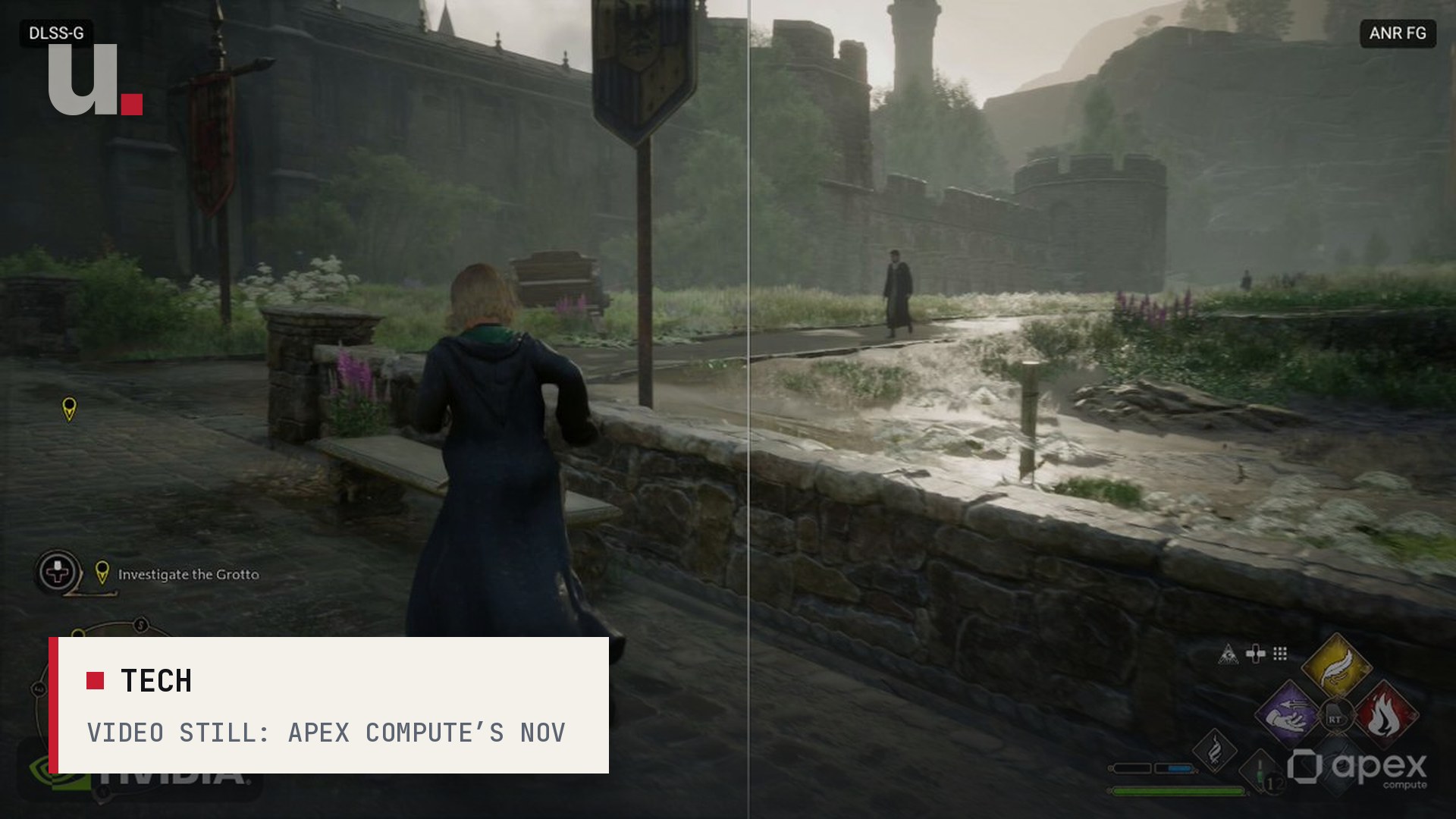
Those tests were run on the company’s own recordings. The side-by-side clips on its site are from games like The Last of Us Part II, and in one demo Apex shows only the generated frames, the ones the SI made up, with no real frames mixed in. The images look clean. They’re also the shots the company picked.
Nobody outside the company has published a full head-to-head yet. TechPowerUp ran the news under a headline saying Apex beats DLSS, but those are Apex’s figures. Until independent testers put it through a few dozen games on everyday hardware, “better than DLSS” is a claim, not a verdict.
You have to install it yourself
This isn’t a button inside your game menu. The beta comes from the company’s GitHub page as a download you drop into a game’s folder. It rides on OptiScaler, a free open-source tool that PC modders already use to swap one upscaler for another. You run an install script, then turn on the game’s Nvidia frame generation option and Apex quietly takes its place. Steam Deck and Linux players have to paste a launch line into Steam, which the installer prints out for them.
It’s also not open source, at least not yet. The download is free, but the GitHub page says the source code is “coming soon.” The other two pieces Apex announced, an upscaler and a ray tracing cleanup tool, are still being trained.
Who Apex actually is
This is the odd part. Apex Compute isn’t a gaming company. It’s building its own chips: an SI accelerator for small devices and a graphics chip on the same design, with an open-source Linux driver. It says a 12-nanometer chip is in tape-out, the last step before manufacturing, and it sells an early test board today.
Giving away software that runs on everyone else’s graphics cards is a smart way for a chip startup nobody has heard of to get gamers to notice it. If its software can outdraw Nvidia’s on Nvidia’s own best card, that’s a pretty good sales pitch for whatever hardware it ships next.
For the person with a three-year-old card and a backlog of games, the math is simple. The download costs nothing, and it comes out with an uninstall script. If it works on your rig, you just got a feature Nvidia wanted you to buy a new card for. If it doesn’t, you’ve lost an evening and you can file a bug report.
Sources
- Apex Compute — ANR: Apex Neural Rendering (benchmarks, supported GPUs and comparisons)
- GitHub — apex-compute/ANR: Apex Neural Rendering beta, install instructions and nr-record
- Apex Compute on 𝕏 — Introducing Apex Neural Rendering (ANR), Nov. 11, 2026
- Apex Compute on 𝕏 — The Last of Us Part II Remastered (Only Generated Frames Shown)
- Apex Compute — Unified Engine and Apex GPU
- TechPowerUp on 𝕏 — Apex Neural Rendering Beats NVIDIA DLSS in Both Image Quality and Performance