

Turned Off Your Gemini Chat History? Google Will Now Keep Those Chats for Two Months
Google is finally letting you keep your chat history without handing it over for SI training. The catch: with history off, chats now stay with your account for about two months instead of 72 hours.

If you use Google’s Gemini and turned off your chat history so your conversations wouldn’t stick around, here’s the news: they’re going to stick around a lot longer.
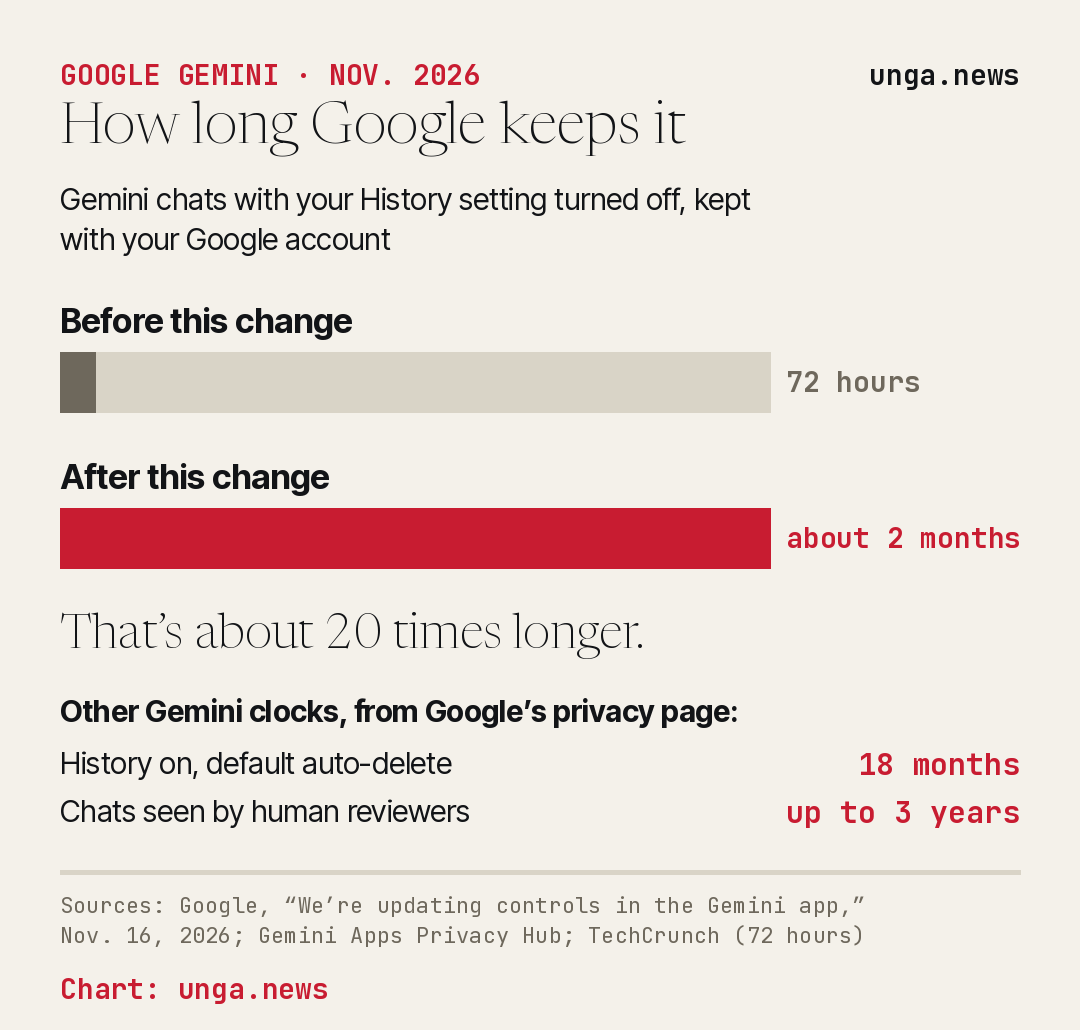
In a short post on Nov. 16, Google said that once its new settings reach your account, chats you have with History switched off “will be saved for around two months.” The same goes for temporary chats, the ones that are supposed to vanish. Until now, Google’s own privacy page put that window at 72 hours.
Three days to roughly 60. That’s about 20 times longer.
The good part first
Google paired the change with something Gemini users have wanted for a while. Until now, one switch, called Keep Activity, did two jobs. It saved your chat history, and it let Google use those chats to train its SI models. If you wanted your old chats so you could pick a project back up, you also had to hand them over for training. Turn training off, and you lost your history.
Now those are two separate switches. You can keep your history and still tell Google not to train on it. You can still pick how long history is saved and delete it by hand whenever you like. Ars Technica called it the easier way to use Gemini “without training AI on your data,” and that’s fair.
Your old choices carry over. According to TechCrunch, if you had Keep Activity turned off before, both new settings start out off. If you had it on, history stays on, and you can decide separately about training.
One catch Ars Technica flagged: training is opt-out. You have to go find the switch.
Why the clock got longer
Google’s reason is safety. Its post says that “as AI systems get smarter,” it is investing more in safety and security, and that chats saved with History off are “used to respond to you, process your feedback, and protect Google, its users, and the public.”
The updated Gemini privacy page adds detail. Gemini only uses the last 24 hours of a chat as context when it answers you. The longer storage, Google says, is there partly so chats are available “in case of a potential system failure.” It also says the saved chats are used to protect people “with help from human reviewers.”
Google says temporary chats are not used to train its SI. And if History is off and you never send feedback, your future chats aren’t used for training either.
TechCrunch asked Google what prompted the change and whether it changes who can look at the chats. Google didn’t answer those questions and pointed to its blog post instead.
The fine print worth knowing
A few other clocks on Google’s privacy page matter just as much, and so does what’s on them. When History is on, Google says it saves your audio, Gemini Live video and screenshares, prompts, attachments and anything you show it on screen, plus Gemini’s answers, info from websites you visit with Gemini, your device’s general location, your IP address and the home or work address in your Google account. Data from apps you connect to Gemini can be in there, too.
If History is on, Google’s default is to auto-delete it after 18 months. You can change that to 3 months, 36 months or keep it forever.
Chats picked for review by human reviewers are separated from your account and kept for up to three years, even if you delete your history.
If you send feedback with History off, Google collects the feedback plus the last 24 hours of your chats, along with anything in them, like attachments and data from apps you connected.
And none of this reaches backward. As Ars Technica notes, anything you already fed Gemini under the old settings may already be in the training pile.
What to do about it
If you care about this, check your settings once the update lands. Ars Technica says the training switch sits under Activity in Gemini’s settings, and you can also reach it from your Google account under Data and Privacy, then My Activity, then Other activity, then Gemini Apps Activity. Ars has the full walkthrough.
If you want your old chats handy but don’t want them training Google’s models, the new split lets you have both. That part is a real improvement.
If your goal was to leave as little behind as possible, the honest answer is that turning History off now leaves two months of chats on Google’s side, not three days. Google says it’s rolling the change out around the world in the Gemini app over the coming weeks.
So treat Gemini like you’d treat an email. Assume it’s kept for a while, and don’t type anything into it you wouldn’t want sitting on a server until January.
Sources
- Google — We’re updating controls in the Gemini app
- Google — Gemini Apps Privacy Hub
- TechCrunch — Google to keep Gemini chats for 2 months, up from 72 hours, even with history off
- Ars Technica — Google makes it easier to use Gemini without training AI on your data